How I Built a Shopify Custom App with Laravel: A Step-by-Step Guide
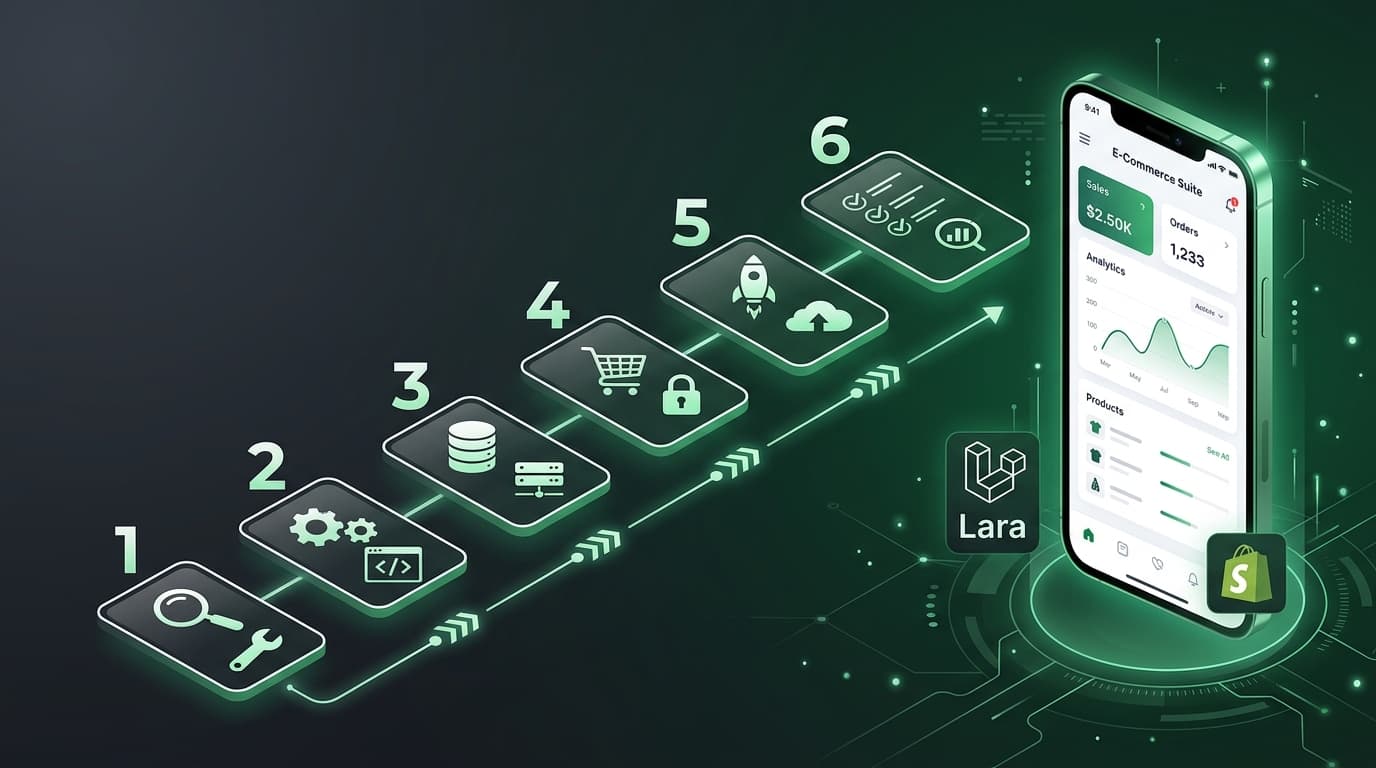
How I Built a Shopify Custom App with Laravel (Step-by-Step)
TL;DR: A complete walkthrough of building a Shopify custom app with Laravel — from Partner account setup to OAuth, webhooks, order syncing, and deployment. Includes real cost breakdown. If you're searching for a practical Shopify + Laravel tutorial, this is it.
Why I Chose This Stack
I had a client who needed a custom Shopify app — not a public app store listing, but a private app for their specific store. They needed order syncing, inventory management, and a custom admin dashboard. I'm a Laravel developer, so the choice was easy.
Laravel gives you queues, migrations, Eloquent, and a clean HTTP client. Shopify gives you well-documented REST and GraphQL APIs. Together, they move fast.
Step 1: Shopify Partner Account Setup
Before writing any code, you need a Shopify Partner account.
- Go to partners.shopify.com and sign up (free)
- Navigate to Apps → Create app
- Choose Custom app (not public — this is for a single merchant)
- Note down your API Key and API Secret
- Set your App URL to your Laravel app's URL (must be HTTPS)
- Set your Redirect URL to
https://yourdomain.com/auth/callback - Configure your scopes — I used:
read_products,write_products,read_orders,write_orders,read_inventory
Creating a Development Store
In your Partner dashboard:
- Go to Stores → Add store → Development store
- Name it, pick a purpose, and create it
- This gives you a free test store with all Shopify features
Step 2: Laravel Project Setup
laravel new shopify-sync-app
cd shopify-sync-app
Install dependencies:
composer require guzzlehttp/guzzle
composer require predis/predis # For Redis queues
Configure your .env:
APP_URL=https://yourdomain.com

SHOPIFY_API_KEY=your_api_key_here
SHOPIFY_API_SECRET=your_api_secret_here
SHOPIFY_SCOPES=read_products,write_products,read_orders,read_inventory

QUEUE_CONNECTION=redis
CACHE_DRIVER=redis
SESSION_DRIVER=redis
Database Migration
// database/migrations/create_shops_table.php
Schema::create('shops', function (Blueprint $table) {
    $table->id();
    $table->string('domain')->unique();
    $table->string('access_token')->encrypted();
    $table->string('scopes')->nullable();
    $table->timestamp('installed_at')->nullable();
    $table->timestamps();
});

// database/migrations/create_synced_orders_table.php
Schema::create('synced_orders', function (Blueprint $table) {
    $table->id();
    $table->foreignId('shop_id')->constrained()->onDelete('cascade');
    $table->string('shopify_order_id')->unique();
    $table->string('order_number');
    $table->string('email')->nullable();
    $table->decimal('total_price', 10, 2);
    $table->string('financial_status');
    $table->json('raw_data');
    $table->timestamp('shopify_created_at');
    $table->timestamps();
});
Run migrations:
php artisan migrate
Step 3: OAuth Implementation
Shopify's OAuth flow has two parts: the install redirect and the callback.
Routes
// routes/web.php
Route::get('/', function () {
    return view('welcome');
});

Route::get('/auth/install', [ShopifyController::class, 'install']);
Route::get('/auth/callback', [ShopifyController::class, 'callback']);
Controller
// app/Http/Controllers/ShopifyController.php
namespace App\Http\Controllers;

use Illuminate\Http\Request;
use Illuminate\Support\Facades\Http;
use App\Models\Shop;

class ShopifyController extends Controller
{
    public function install(Request $request)
    {
        $shopDomain = $request->query('shop');

        if (!$shopDomain || !preg_match('/^[a-zA-Z0-9\-]+\.myshopify\.com$/', $shopDomain)) {
            abort(400, 'Invalid shop domain');
        }

        $redirectUri = config('app.url') . '/auth/callback';
        $scopes = config('services.shopify.scopes');

        $authUrl = "https://{$shopDomain}/admin/oauth/authorize?" . http_build_query([
            'client_id' => config('services.shopify.key'),
            'scope' => $scopes,
            'redirect_uri' => $redirectUri,
            'state' => csrf_token(),
        ]);

        return redirect($authUrl);
    }

    public function callback(Request $request)
    {
        // Step 1: Verify HMAC
        $this->verifyHmac($request);

        // Step 2: Validate shop domain
        $shopDomain = $request->query('shop');
        if (!preg_match('/^[a-zA-Z0-9\-]+\.myshopify\.com$/', $shopDomain)) {
            abort(400, 'Invalid shop domain');
        }

        // Step 3: Exchange code for access token
        $response = Http::post("https://{$shopDomain}/admin/oauth/access_token", [
            'client_id' => config('services.shopify.key'),
            'client_secret' => config('services.shopify.secret'),
            'code' => $request->query('code'),
        ]);

        if ($response->failed()) {
            abort(500, 'Failed to get access token');
        }

        $accessToken = $response->json('access_token');

        // Step 4: Store the shop
        $shop = Shop::updateOrCreate(
            ['domain' => $shopDomain],
            [
                'access_token' => $accessToken,
                'scopes' => $response->json('scope'),
                'installed_at' => now(),
            ]
        );

        // Step 5: Register webhooks
        $this->registerWebhooks($shop);

        // Step 6: Perform initial sync
        $this->syncOrders($shop);

        return redirect("https://{$shopDomain}/admin/apps");
    }

    private function verifyHmac(Request $request): void
    {
        $hmac = $request->query('hmac');
        $params = collect($request->query())->except('hmac')->sortKeys();

        $message = $params->map(fn($value, $key) => "{$key}={$value}")->join('&');
        $computed = hash_hmac('sha256', $message, config('services.shopify.secret'));

        if (!hash_equals($hmac, $computed)) {
            abort(403, 'HMAC verification failed');
        }
    }

    private function registerWebhooks(Shop $shop): void
    {
        $webhooks = [
            ['topic' => 'orders/create', 'address' => config('app.url') . '/webhooks/orders'],
            ['topic' => 'orders/updated', 'address' => config('app.url') . '/webhooks/orders'],
            ['topic' => 'app/uninstalled', 'address' => config('app.url') . '/webhooks/uninstall'],
        ];

        foreach ($webhooks as $webhook) {
            Http::withHeaders(['X-Shopify-Access-Token' => $shop->access_token])
                ->post("https://{$shop->domain}/admin/api/2024-01/webhooks.json", [
                    'webhook' => array_merge($webhook, ['format' => 'json']),
                ]);
        }
    }
}
Step 4: Order Syncing
Initial Sync (Paginated)
// app/Services/OrderSyncService.php
namespace App\Services;

use Illuminate\Support\Facades\Http;
use App\Models\Shop;
use App\Models\SyncedOrder;

class OrderSyncService
{
    public function syncAll(Shop $shop): int
    {
        $count = 0;
        $url = "https://{$shop->domain}/admin/api/2024-01/orders.json?status=any&limit=250";

        while ($url) {
            $response = Http::withHeaders(['X-Shopify-Access-Token' => $shop->access_token])
                ->get($url);

            $orders = $response->json('orders', []);

            foreach ($orders as $order) {
                SyncedOrder::updateOrCreate(
                    [
                        'shop_id' => $shop->id,
                        'shopify_order_id' => (string) $order['id'],
                    ],
                    [
                        'order_number' => $order['order_number'],
                        'email' => $order['email'] ?? $order['contact_email'],
                        'total_price' => $order['total_price'],
                        'financial_status' => $order['financial_status'],
                        'raw_data' => $order,
                        'shopify_created_at' => $order['created_at'],
                    ]
                );
                $count++;
            }

            // Follow pagination link header
            $url = $this->getNextPageUrl($response->header('Link'));
        }

        return $count;
    }

    private function getNextPageUrl(?string $linkHeader): ?string
    {
        if (!$linkHeader) return null;

        preg_match('/<([^>]+)>; rel="next"/', $linkHeader, $matches);
        return $matches[1] ?? null;
    }
}
Webhook Handler for Real-Time Updates
// app/Http/Controllers/WebhookController.php
namespace App\Http\Controllers;

use Illuminate\Http\Request;
use App\Jobs\ProcessOrderWebhook;
use App\Jobs\HandleAppUninstall;

class WebhookController extends Controller
{
    public function orders(Request $request)
    {
        $this->verifyWebhook($request);

        $shopDomain = $request->header('x-shopify-shop-domain');

        ProcessOrderWebhook::dispatch($shopDomain, $request->all());

        return response()->json(['received' => true], 200);
    }

    public function uninstall(Request $request)
    {
        $this->verifyWebhook($request);

        HandleAppUninstall::dispatch(
            $request->header('x-shopify-shop-domain')
        );

        return response()->json(['received' => true], 200);
    }

    private function verifyWebhook(Request $request): void
    {
        $hmacHeader = $request->header('x-shopify-hmac-sha256');
        $computed = base64_encode(
            hash_hmac('sha256', $request->getContent(), config('services.shopify.secret'), true)
        );

        if (!hash_equals($hmacHeader, $computed)) {
            abort(401);
        }
    }
}
// app/Jobs/ProcessOrderWebhook.php
namespace App\Jobs;

use App\Models\Shop;
use App\Models\SyncedOrder;

class ProcessOrderWebhook implements \Illuminate\Contracts\Queue\ShouldQueue
{
    public int $tries = 3;
    public int $backoff = 30;

    public function __construct(
        public string $shopDomain,
        public array $orderData
    ) {}

    public function handle(): void
    {
        $shop = Shop::where('domain', $this->shopDomain)->first();

        if (!$shop) return;

        SyncedOrder::updateOrCreate(
            ['shop_id' => $shop->id, 'shopify_order_id' => (string) $this->orderData['id']],
            [
                'order_number' => $this->orderData['order_number'],
                'email' => $this->orderData['email'] ?? null,
                'total_price' => $this->orderData['total_price'],
                'financial_status' => $this->orderStatus['financial_status'],
                'raw_data' => $this->orderData,
                'shopify_created_at' => $this->orderData['created_at'],
            ]
        );
    }
}
Step 5: Deployment
Server Requirements
- PHP 8.2+
- Redis (for queues and caching)
- MySQL 8.0+
- SSL certificate (Let's Encrypt is free)
- Supervisor for queue workers
Quick Deploy with a VPS
I used a $6/month DigitalOcean droplet. Here's the essentials:
# Clone and install
git clone your-repo
composer install --optimize-autoloader --no-dev
php artisan config:cache
php artisan route:cache
php artisan migrate --force

# Start queue worker
php artisan queue:work redis --tries=3 --daemon
Supervisor config for the queue worker:
[program:shopify-queue]
command=php /var/www/shopify-app/artisan queue:work redis --sleep=3 --tries=3
numprocs=2
autostart=true
autorestart=true
Cost Breakdown
Here's what it actually cost to build and run this app:
| Item | Cost |
| Shopify Partner Account | Free |
| Development Store | Free |
| DigitalOcean Droplet (1GB) | $6/month |
| Domain Name | $12/year |
| SSL (Let's Encrypt) | Free |
| Redis (on same server) | Included |
| Laravel (open source) | Free |
| Total Setup | $0 |
| Monthly Running | ~$7/month |
The only real cost is the server. Everything else is free or open source.
Lessons Learned
- Always verify HMAC. Both on OAuth callback and on webhooks. Skip this and you're open to attacks.
- Return 200 immediately from webhook endpoints. Queue everything. Shopify retries if you're slow.
- Paginate carefully. Shopify returns max 250 orders per page. Use the
Linkheader for pagination. - Handle the uninstall webhook. Clean up tokens and data when merchants uninstall.
- Use Redis for queues, not the database driver. Database queues don't scale and cause locking issues.
- Test with a development store first. Never test against a live merchant store.
Building a Shopify app with Laravel is straightforward once you understand the OAuth flow and webhook patterns. The initial setup takes a day, and the rest is building features on top of that foundation.